Refer a friend report
Introduction
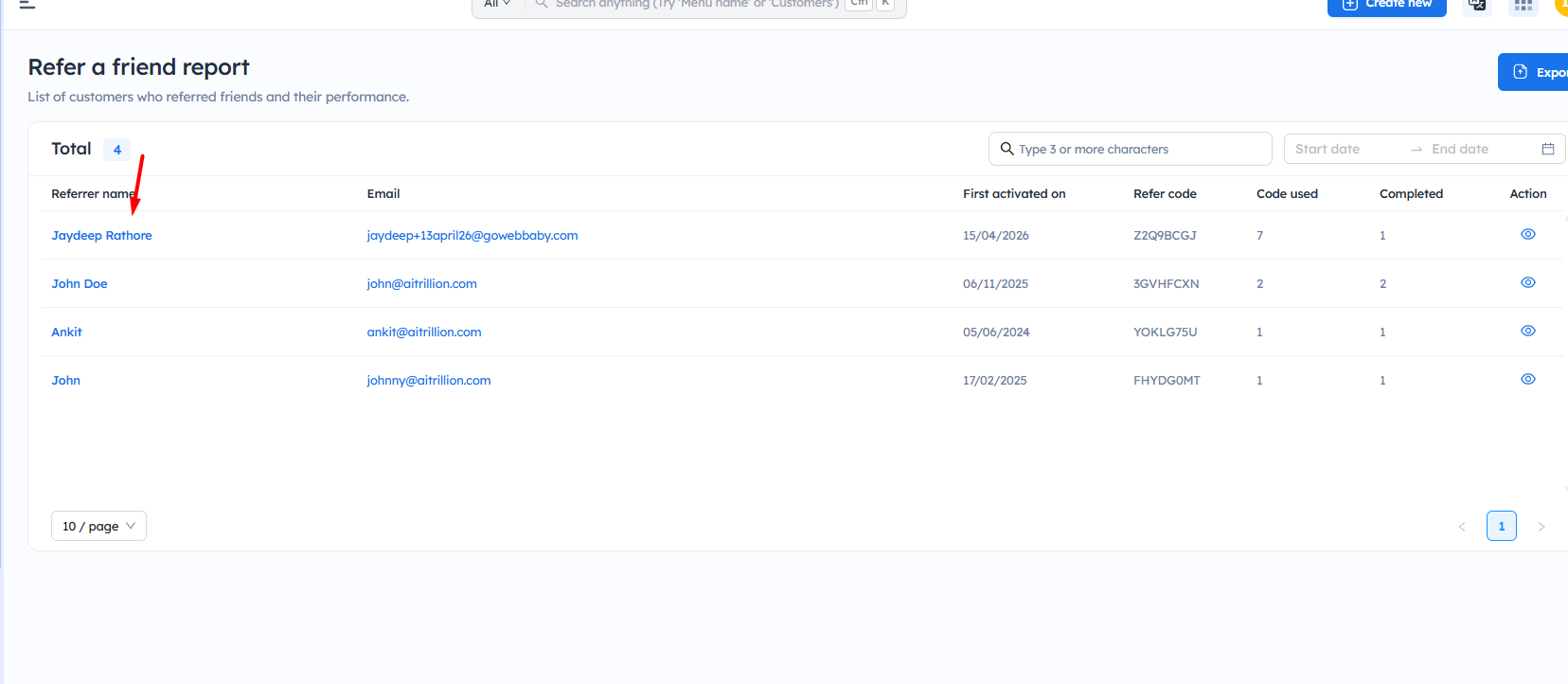
The Refer a Friend Report helps you track customers who have referred friends to your store and monitor their referral performance. You can view details such as referrer name, referral code, code usage, completed referrals, and activation date to measure the success of your referral program.
Here are the steps to check the refer a friend report:
Step 1: Go to Loyalty rewards >> Analytics >> Refer a friend report
Step 2: You can filter customers based on the following criteria:
Referral used: The Referral Used filter shows customers whose referred customers have placed an order.
Referral used: The Referral Used filter shows customers whose referred customers have placed an order.
Only activated: The Only Activated filter shows customers who have generated a referral code, but whose referred customers have not yet placed an order.
Step 3: You will get the detailed report of customers who have successfully referred their friends to your store. This report helps you track referral activity and monitor the performance of your referral program.
The refer a friend report includes the following details:
- Total – Displays the total number of successful referrers available in the report.
- Referrer name – Shows the name of the customer who referred a friend.
- Email – Displays the email address of the referrer.
- First activated on – Shows the date when the referral program was first activated for the customer.
- Refer code – Displays the unique referral code assigned to the customer.
- Code used – Indicates how many times the referral code has been used.
- Completed – Shows the number of successful referrals where the referred friend placed an order.
- Action – Click the view icon to check detailed referral information for the customer.
Step 4: Click on the eye icon in the Action column to view the detailed report of referred users. This report includes:
- Referred user name
- Email address
- Order ID
- Order date
- Referral status
- Reward points/details earned from the referral
You can use this report to track the performance and reward status of each referred customer.
Step 5: Click on the name of the customer who successfully referred a friend.
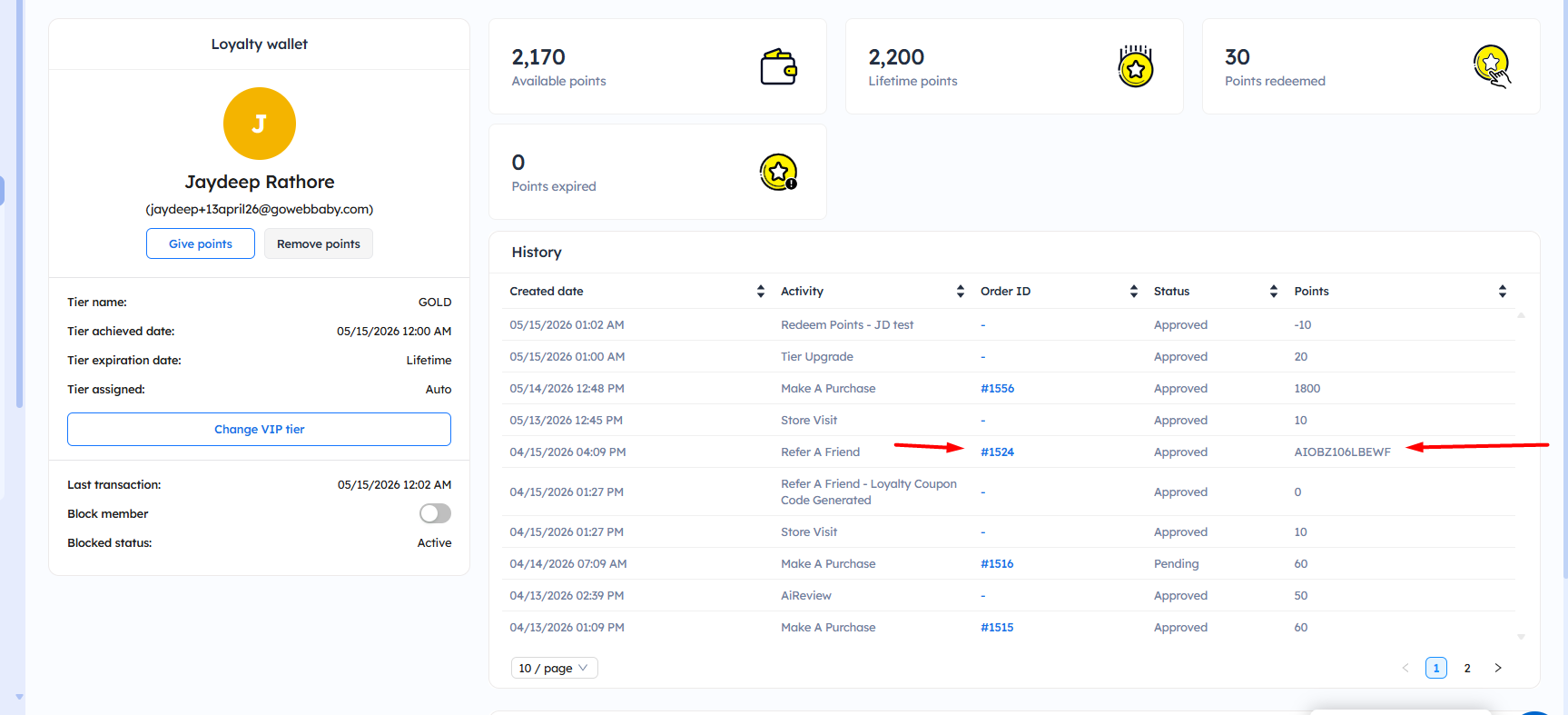
Now, you will get the detailed report of the points earned by customers, including the order ID of the order placed by the referred friend.
Important Notes:
- Referral points are awarded based on the referral program settings configured in the store.
- You can use the search and date filter options to quickly find specific referral records.
-
Click the view icon to check detailed referral information, including earned points and order details.