How to Add the AiTrillion Product Reviews Block in Shopify Customer Page?
Introduction
The AiTrillion Product Review Block allows you to view a customer’s latest product reviews directly from the Shopify admin customer profile page..
In this article, we’ll walk you through the steps to add the AiTrillion Review Block to your Shopify Customer page.
 Note: The product reviews block will only show if the Product reviews module is enabled.
Here are the steps to add the loyalty program block in Shopify customer page:
Step 1: Go to Shopify admin >> Click on the Customers page.
Step 2: Click on the name of any customer from the list.
Step 3: Scroll down to the bottom and click on the add block button.
Step 4: Click on Product reviews.
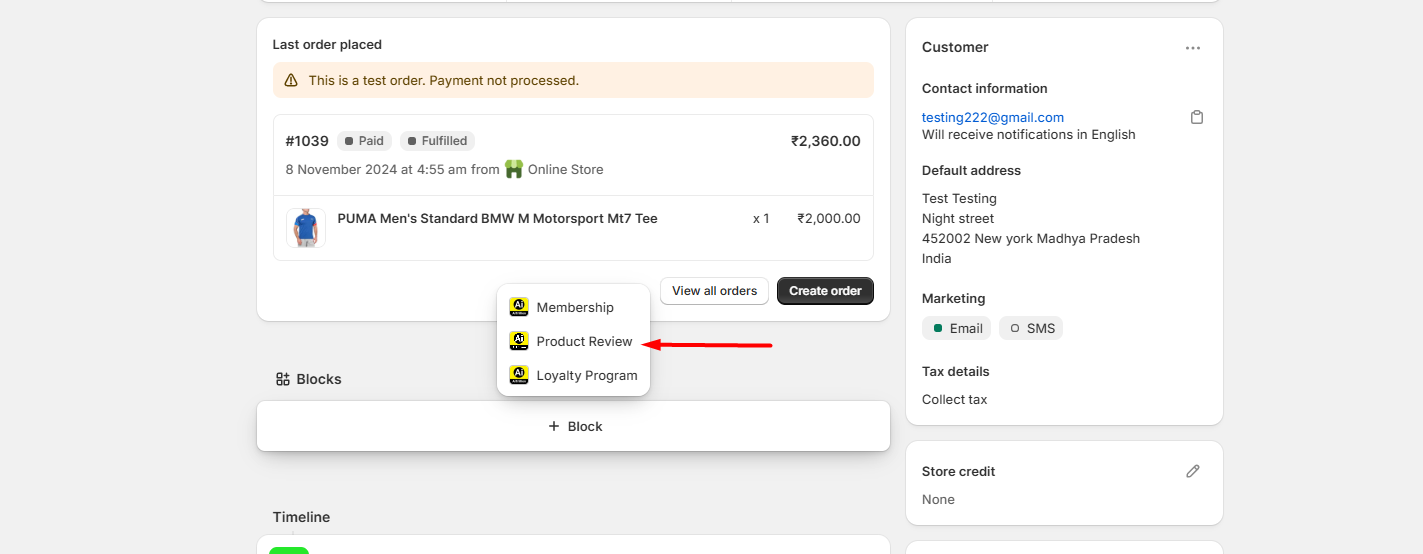
Now, you will get the Product reviews widget with Reviews uploaded on the specific product
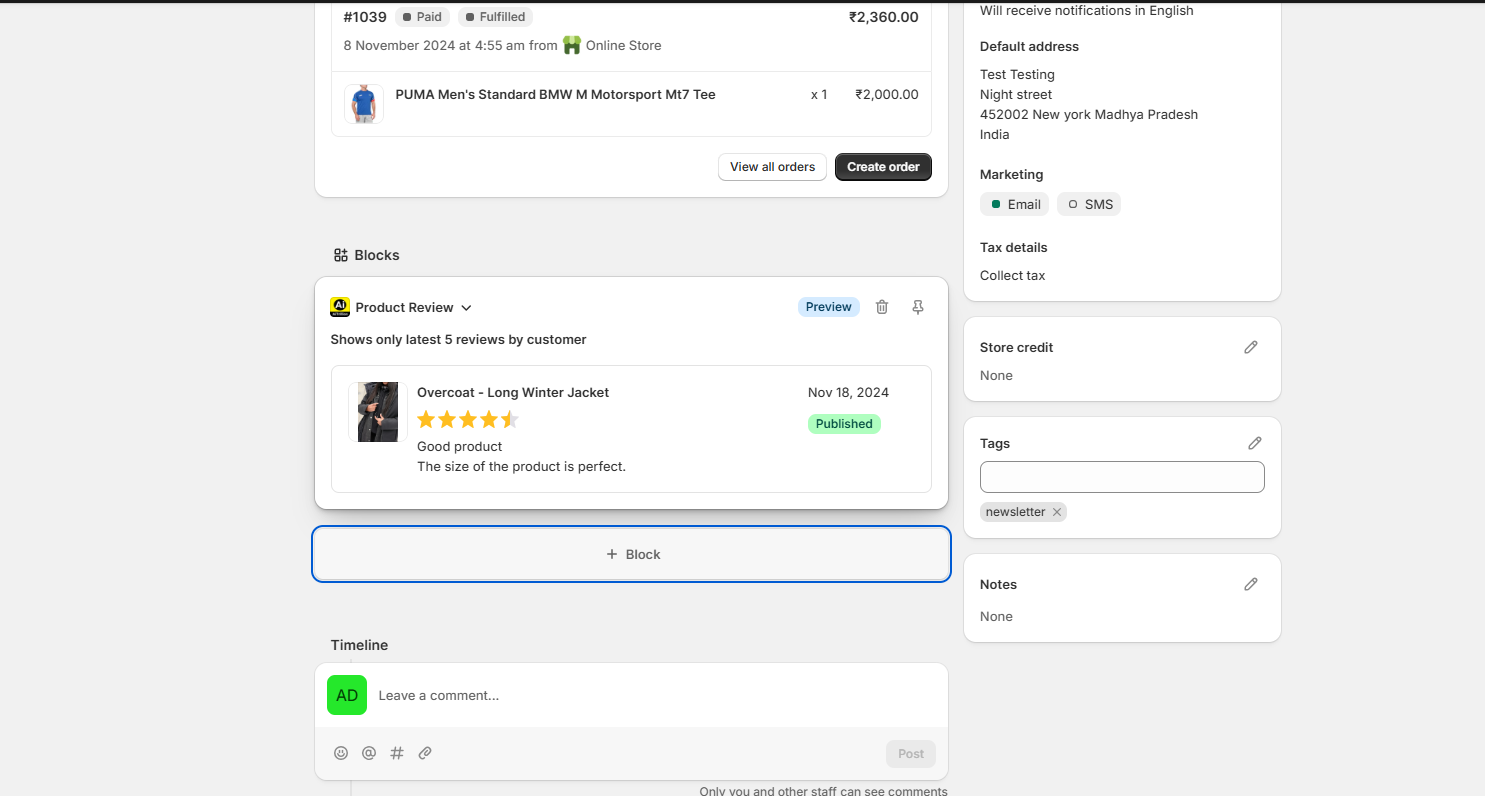
Now, you can see whether the specific customer has left a review or not.