Assign Loyalty points on Membership Purchase
Introduction
Reward your customers with loyalty points when they purchase a membership plan. This feature helps increase customer engagement, encourage repeat purchases, and add more value to your membership program. In this article, you will learn how to configure loyalty points for membership purchases in AiTrillion.
Here are the steps to assign the Loyalty points on Membership purchase:

Note: Ensure that you have already created the plan. To learn more, click here.
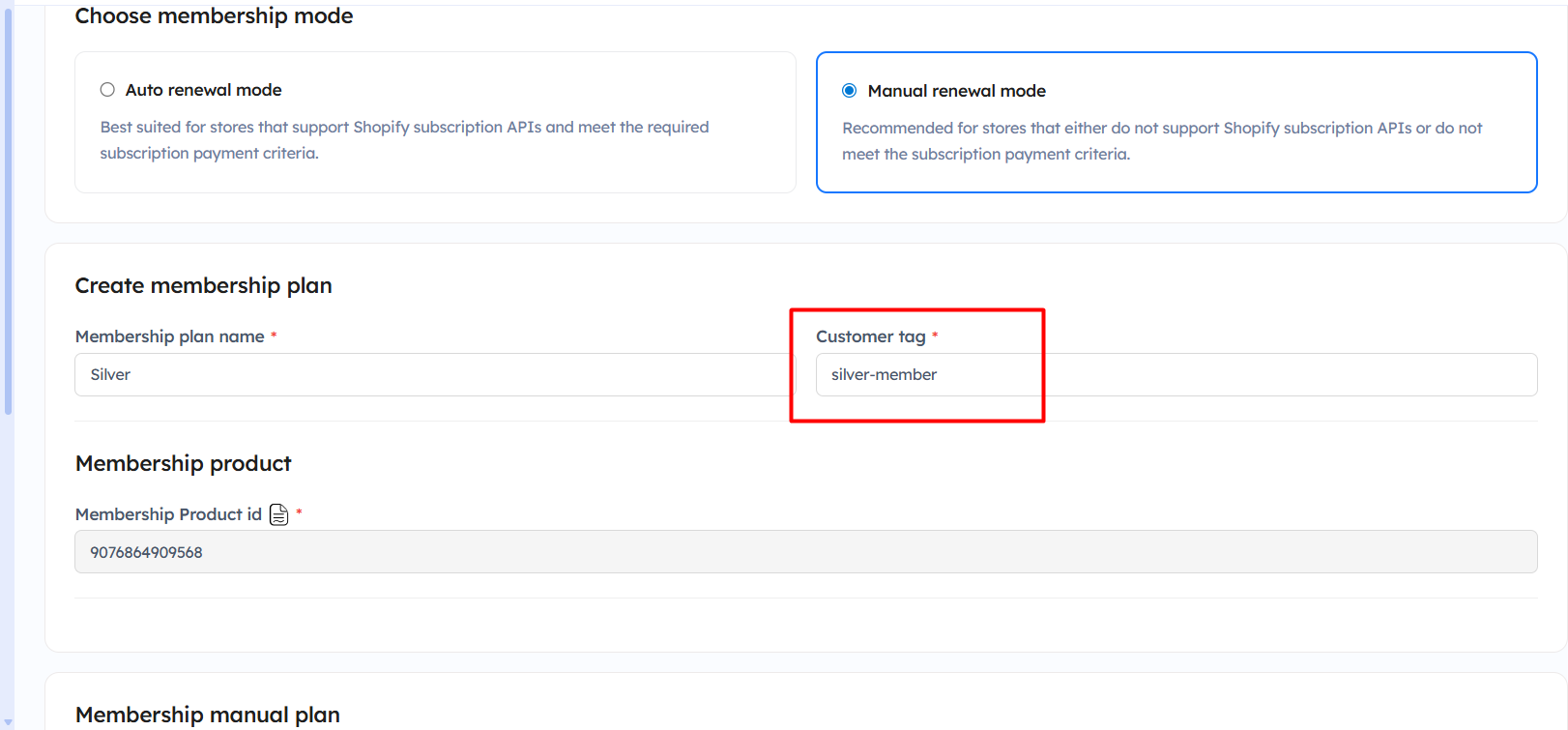
Step 2: Copy the customer tag.
Step 4: Enter the tag name and the following details:
- Enter tag – Add the customer tag that will trigger the reward points. Example:
points20 - Tag points – Specify the number of loyalty points customers will receive when the tag is assigned.
- Reward text – Enter the message that customers will see after earning points through the tag activity.
- Description – Add a short description explaining the reward activity shown to customers.
- Add new tag – Click Add new tag to create multiple tag-based reward rules. Each tag can have different reward points and messages.
Step 5: Once you add all the details, Click on the Save button.
Now, the loyalty points will be automatically assigned upon membership purchase.
Important Notes:
- Ensure that the membership plan has already been created before configuring loyalty points for membership purchases.
- The loyalty points will only be assigned when the customer purchases the membership plan successfully.
- Make sure the correct customer tag is copied from the membership plan settings and added in the On customer tag reward activity.
- The same customer tag must be used in both the Membership module and Loyalty rewards setup to ensure points are assigned properly.
- You can create multiple tags with different reward points and reward messages based on your membership plans.
- Reward points will be automatically added when the customer tag is assigned to the customer profile.
- Ensure the Loyalty rewards module is enabled before configuring the reward activity.
- After updating the settings, always click the Save/Update button to apply the changes.
- It is recommended to test the setup with a sample customer before making it live on your store.
- Changes may take a few moments to reflect after the membership purchase is completed.