Assign VIP tier based on Membership purchase
Introduction
Automatically assign VIP tiers to customers when they purchase a membership plan. This feature helps you reward members with exclusive benefits, create personalized customer experiences, and encourage long-term engagement. In this article, you will learn how to configure VIP tier assignments based on membership purchases in AiTrillion.

Note: The VIP tier will only be assigned if the VIP tier is configured as tag-based.
Here are the steps to assign the VIP tier on membership purchase:
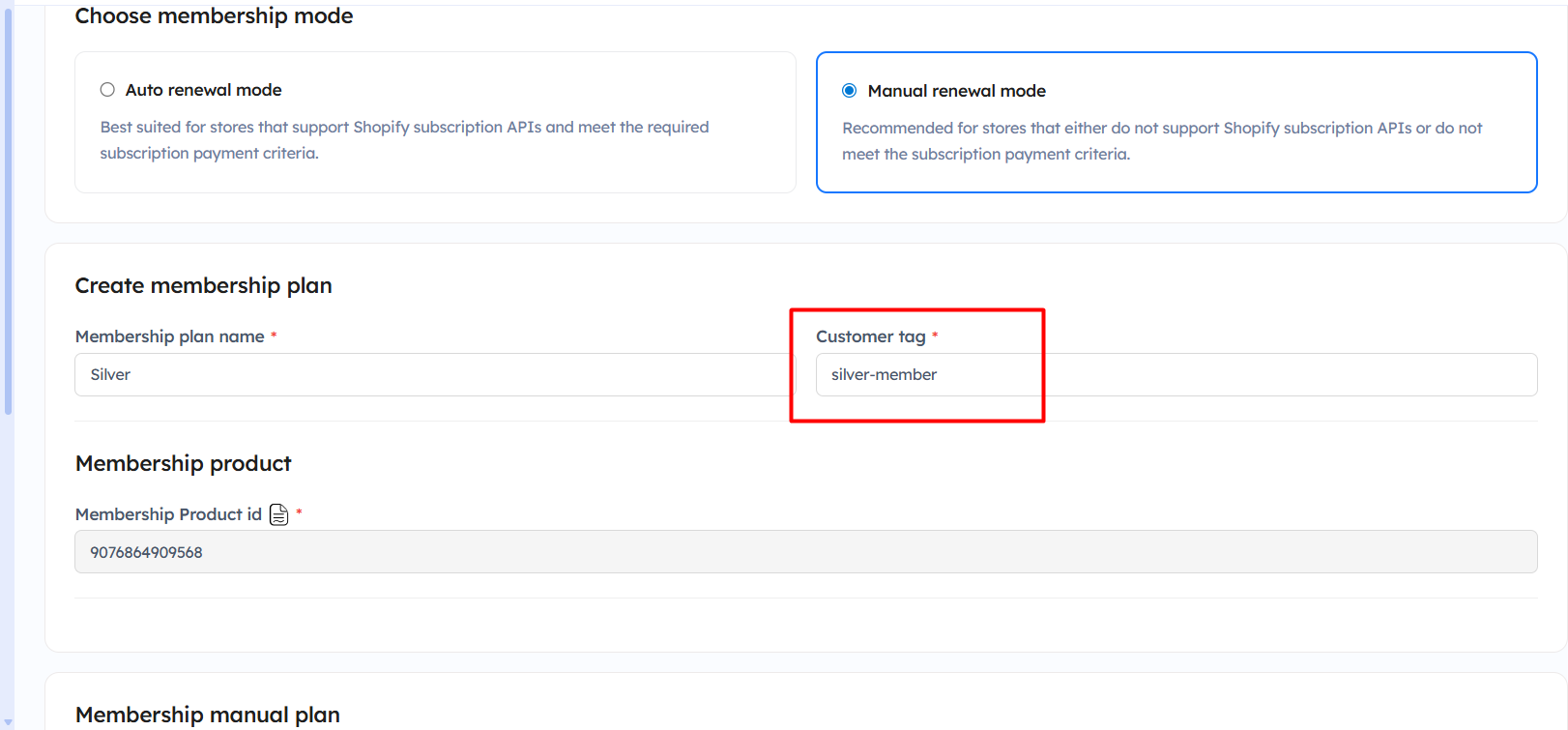
Step 1: Go to Membership V2 >> Membership plan and click on the Edit button for the plan.
Step 2: Copy the customer tag.
Step 3: Go to Loyalty rewards >> Set up program >> VIP program >> Click on Create.
Step 3: Add the required details according to your requirements, and paste the tag name.
Step 4: Click on the Create button.
Now, whenever the customers purchase the membership, the tier will be automatically assigned to the customers.
Important Notes:
- The VIP tier will only be assigned if the VIP tier is configured as tag-based.
- Ensure that the membership plan has already been created before setting up the VIP tier assignment.
- Copy the correct customer tag from the Membership plan settings and add the same tag in the VIP tier configuration.
- The customer tag used in the Membership module and VIP program must match exactly for the tier assignment to work properly.
- VIP tiers will be automatically assigned once the membership purchase is completed successfully.
- You can create different VIP tiers for different membership plans using unique customer tags.
- Ensure the VIP program module is enabled before configuring the tier settings.
- Changes may take a few moments to reflect after the membership purchase and tag assignment process is completed.