Setup Double Opt-In For Your Newsletter Popup
Introduction
Setup Double Opt-In For Your AiTrillion Newsletter Popup. Use this added layer of security to ensure you send emails to only those people who have specifically accepted to receive emails from you.
Here are the steps to setup douple opt-in for newsletter popup:
Step 1: From the navigation bar go to Smart Popups > Create New > Newsletter Popup
Step 2: Use the three dots in the actions panel to edit any pre-existing newsletter popup.
Step 3: Field: This option allows you to customize the fields in your newsletter popup. Most people choose the email option only since it is faster and allows for a quick entry, however, you can ask customers for other options and choose to make them optional or a compulsion.
Now, the customers will subscribe to the Marketing email subscription, workflow, and review emails.
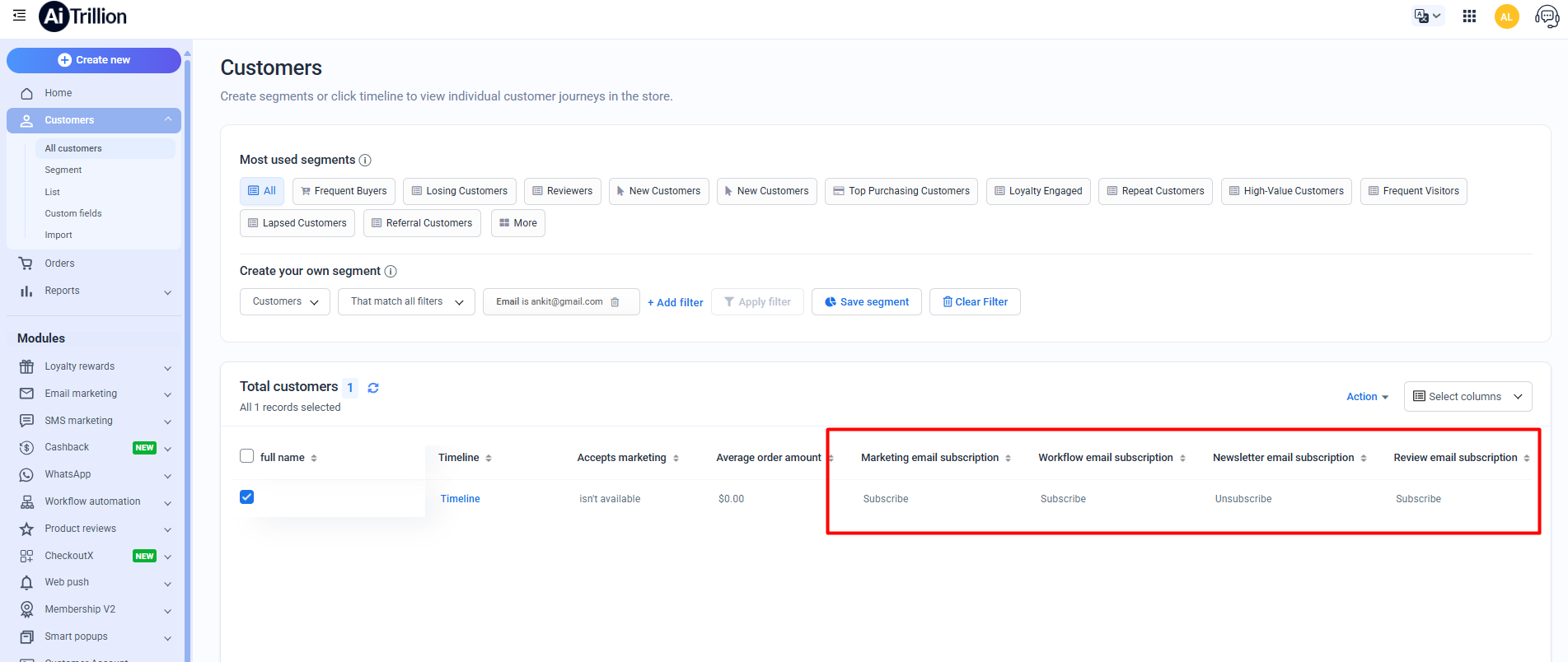
 To ensure everything is subscribed, you need to enable ‘Subscribe for email marketing’ in AiTrillion. This will allow customers to opt in and receive all marketing emails. - Click here