Remove a Customer from a VIP Tier
Introduction
This article explains how to remove a customer from a VIP tier in the membership program. Once removed, the customer will no longer receive the benefits, discounts, or exclusive access associated with that VIP tier.

Note: If you have assigned the VIP tier manually, then you can remove the VIP tier from the customer's account by following the steps below.
Here are the steps to remove a customer from a VIP tier:
Step 1: Go to Loyalty rewards >> Members >> Members list
Step 2: Click on the remove tier.
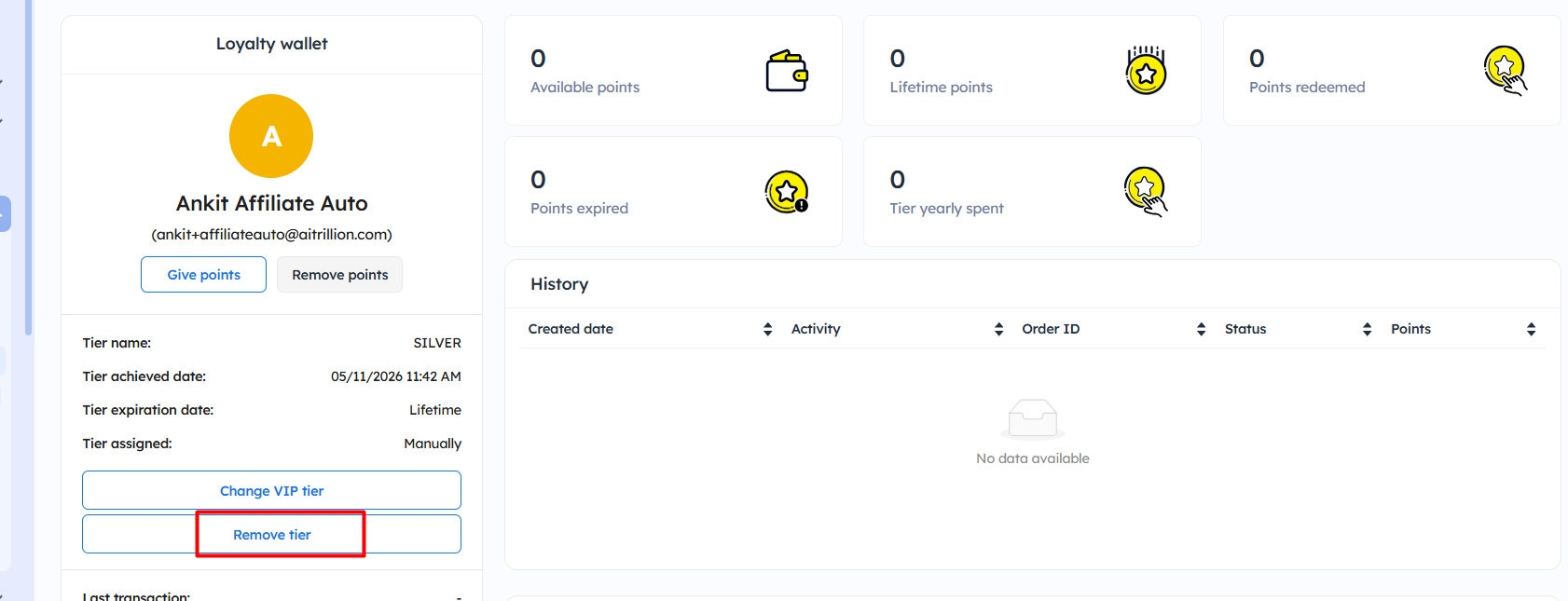
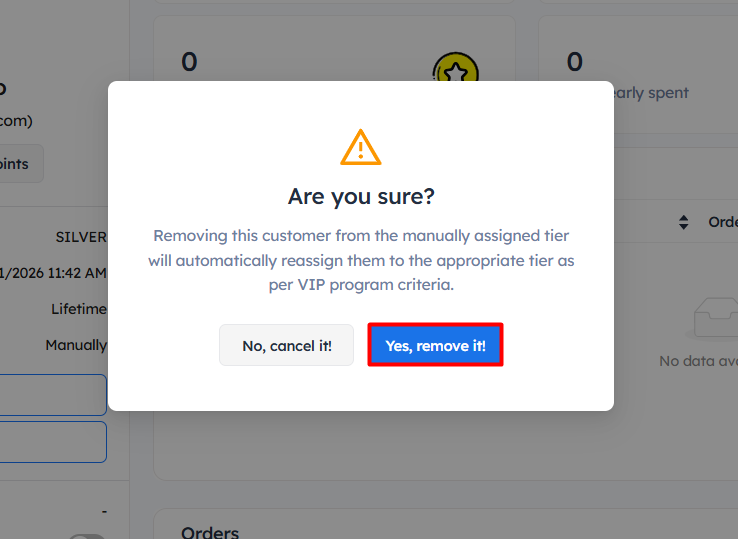
Step 3: A pop-up will appear. Click on Yes, remove it! button to get this removed.
Note: Ensure that you are removing the vip tier from the correct customer
.
.
Now the customers will be removed from the tier
 Note: Once you remove the customers from the VIP tier, the VIP tier will be recalculated based on points or amount if you are using a point-based or amount-based VIP tier.
Important Notes:
- The Remove tier option is only available for customers whose VIP tier has been assigned manually.
- Once the tier is removed, the customer will immediately lose the benefits and privileges associated with that VIP tier.
- After removal, the system will automatically recalculate and assign the appropriate VIP tier based on the customer’s current loyalty points or spending criteria.
- Ensure that you are removing the VIP tier from the correct customer before confirming the action.
- This action cannot be undone automatically. You will need to manually assign the tier again if required.
- The automatic reassignment will work only if VIP tier rules and conditions are properly configured in your loyalty program settings.