Receive Live Chat Notification In Your Email
Introduction:
AiTrillion can now inform you of incoming chats by sending a notification email to your email address.
Learn how to enable this using this AiTrillion Live Chat Knowledgebase.
Note📝Ensure that this module is enabled. To learn how to enable or disable live chat, click here.
Note📝Ensure that this module is enabled. To learn how to enable or disable live chat, click here.
Here are the steps to receive live chat notification on email:
Here are the steps to receive live chat notification on email:
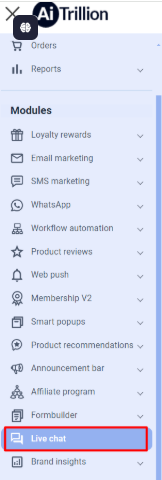
Step 1. Go to Live chat
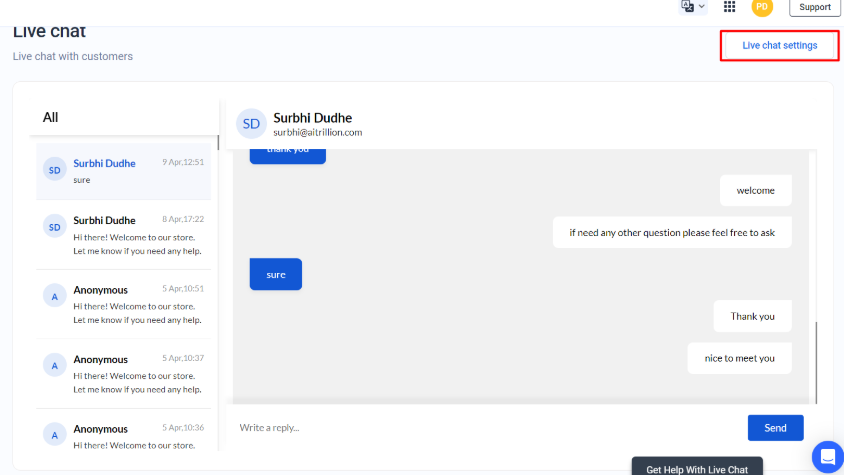
Step 2. Go to the live chat settings by clicking on the button.
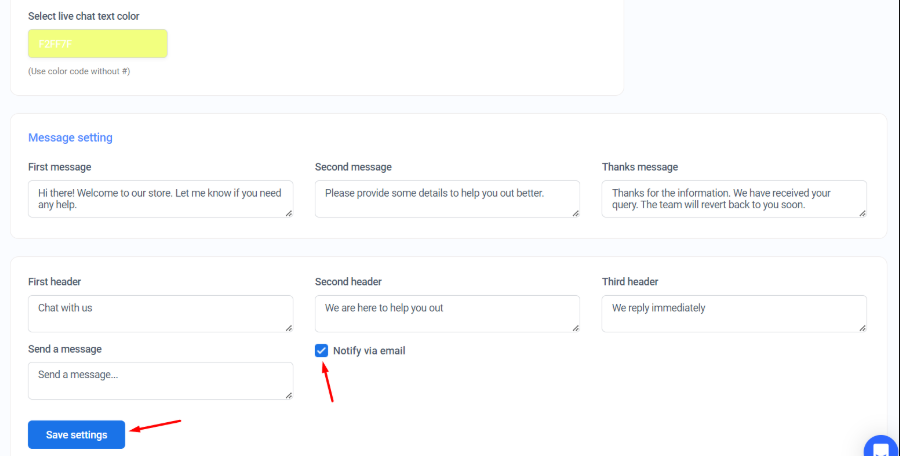
Step 3. In the Message setting section at the bottom of the live chat settings page, place a checkmark in the 'Notify by email' box and click Save settings when done.
Step 2. Go to the live chat settings by clicking on the button.
Step 3. In the Message setting section at the bottom of the live chat settings page, place a checkmark in the 'Notify by email' box and click Save settings when done.